Pages

Showing posts with label Computers. Show all posts

31 October, 2015

Pool House Expansion Project, Days Seventeen Through Twenty-One, 17-22/10/15

Here we are at another day of the Pool House Expansion Project.

Day Twenty-One - 17 October, 2015, More or less, Through the 23rd.

You're probably wondering (maybe not, but bear with me anyway) what happened to days 17 through 30 of the project. Well, they didn't just disappear. There was work done on those days.

I think I explained in a previous post about the problems I've had with the computers, both my desktop, requiring a virtually complete rebuild, to the inability of my iPad to take care of, what seems to me, to be rather mundane and day-to-day bloggings tasks, like a posting that is longer than four or five paragraphs and that might contain more than one photograph - with caption yet.

Today will be the start of a sort of catch-up blog day. I've got several photos to share, some will only appear on Flickr (you can find the link in the last paragraph of this post). I'll put them in, more or less in order, so you'll see chronologically, how the construction is progressing.

To start things off, each day, after the workers have gone home, the dogs, free of their pen, head immediately over to the construction to see how things are progressing. Likewise, the cats, at least April and Nelson, come with us when we inspect the site. I'm sure they all are looking at the job with a critical eye, and not merely looking for a tasty morsel that the workers might have left behind.
April Inspecting the Quality of Work
We're only putting in one kitty door, and that's on the west side of the house, through the office. That's mainly to encourage the cats to stay on the land side of the house. We don't want to encourage them to come around to the canal side any more than we have to. It's probably all a moot issue, as they're going to do just what they want to regardless of what we want them to do.

These two photos were from Saturday, 17 October, 2015.
Nelson Checking The Kitty Doorway for Proper Fit
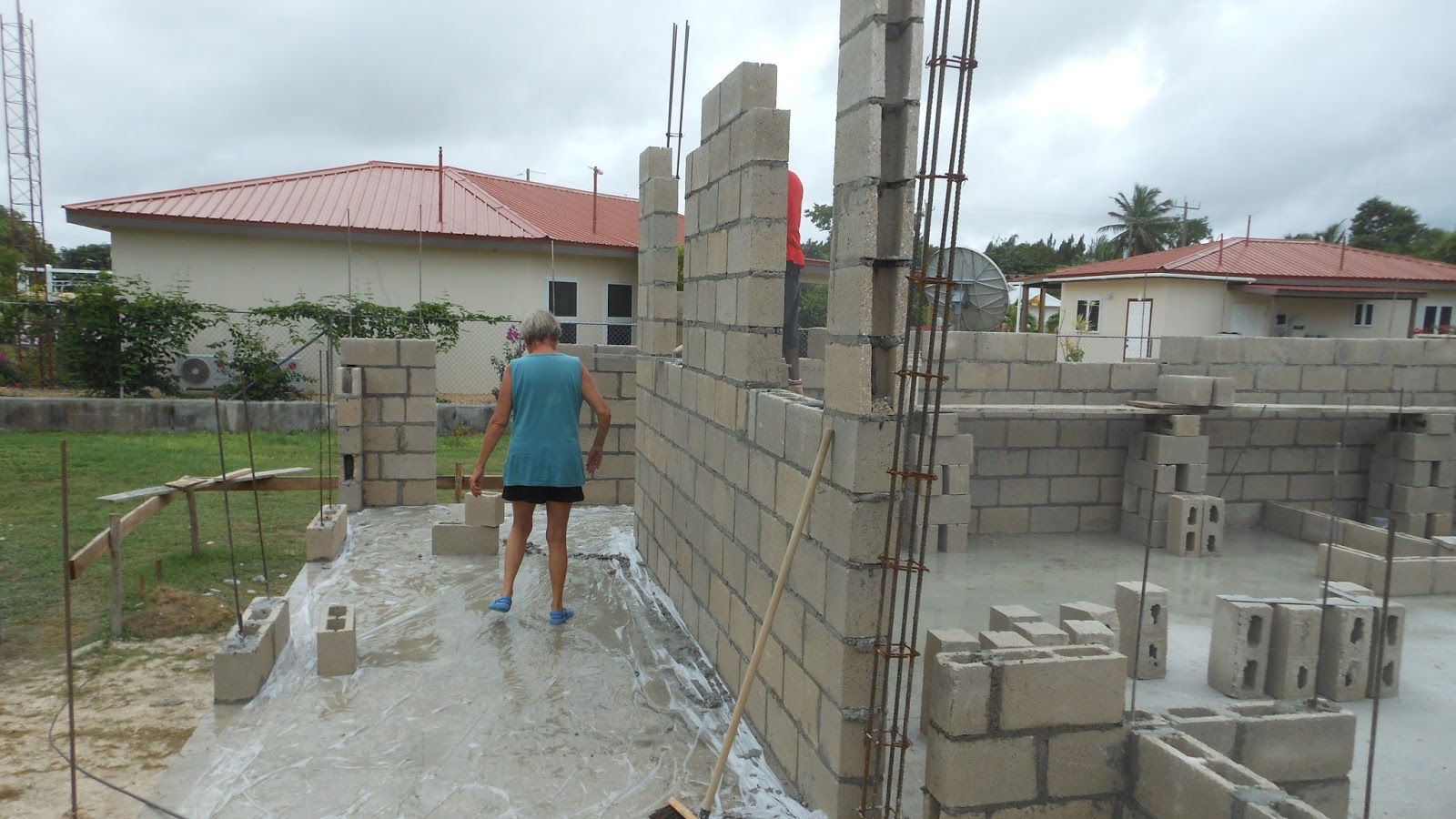
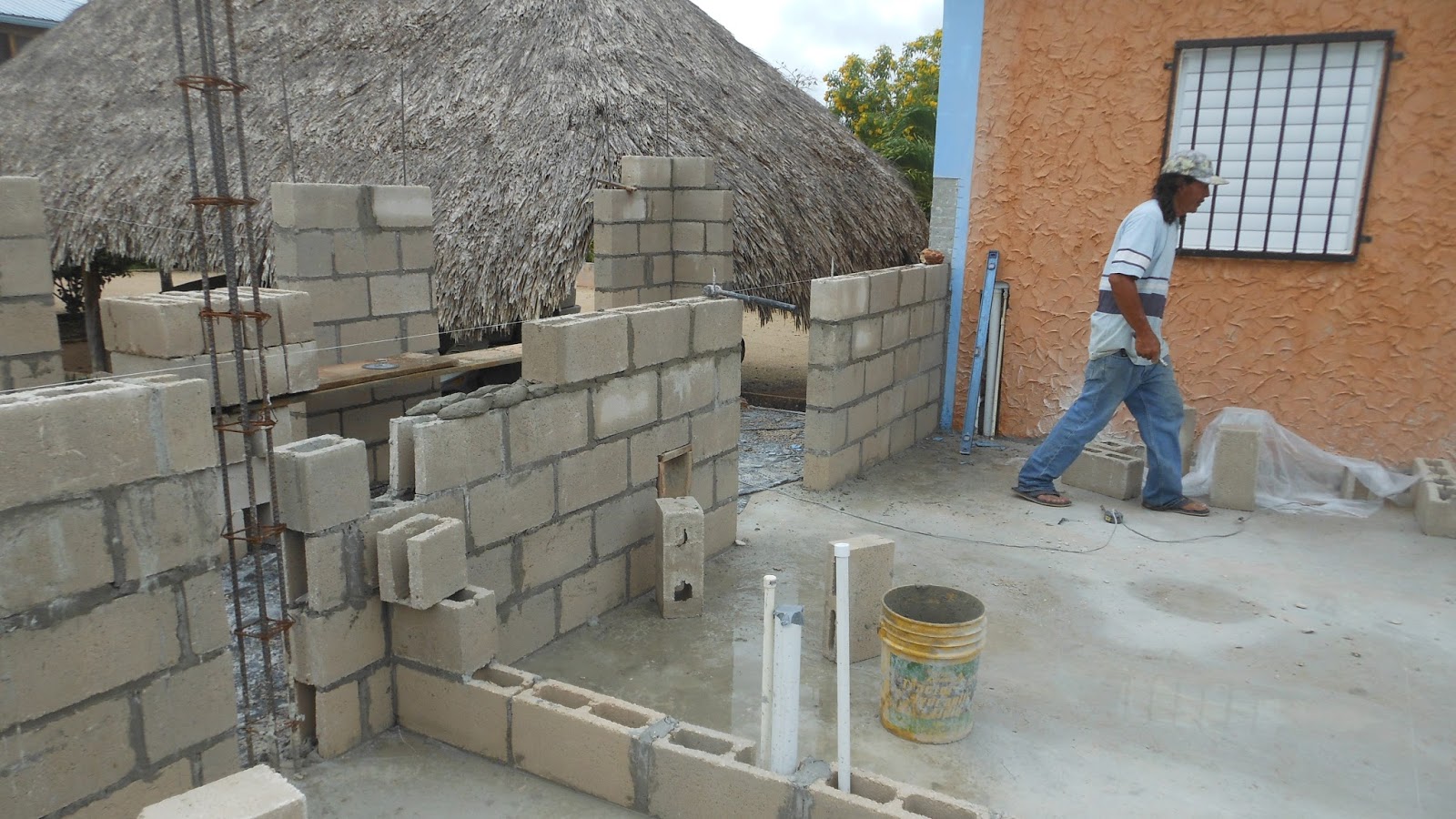
These next two are from Wednesday, 21 October, 2015, and illustrate just how fast everything is moving along. Walls are reaching their final height, lintels are being cast in place.
Lintels Are Going Up All Over
And, Omar is usually in two places at once, checking on measurements and lining things up properly.
Omar With His Ever-Present Tape, Measuring Things
The 22nd of October, another fine day, I managed to capture The guys getting one of the column forms ready to deploy.
Column Form Being Readied For Use
The following day, the23rd, was exciting, as this was the day the Mennonites were going to deliver the trusses. And that will be a new posting.

There's many more photos than appear in each posting. You can see all the photos of the construction project on Flickr at: https://www.flickr.com/gp/winjama/0wVc3s. There will be new photos added each day of the project.  

30 October, 2015

Pool House Expansion Project, Day Twenty One, 16/10/15

Here we are at another day of the Pool House Expansion Project.

Day Twenty One - 16 October, 2015

It's taken me a while actually to be able to write this and several other blog postings. The date, 16 October, is when the photos and the narrative occurred, but due to several glitches, one with the PC, being terminal and requiring a new motherboard and a new hard drive, thanks to Fred at Corozal Virtual Offce, for his good work resurrecting my dead PC. The other, as far as the blog is concerned involved my iPad. I can create text relatively easily with the iPad and dump it directly to the blog. Where the problem comes in is if I want to add photos, like what are here. That is very hard to do with the iPad.

It was such a hassle, all together, that it was easier to just lay off doing postings for a few days till the PC was back functioning.

Finally, I listened to what my doggies have been patiently trying to tell me, that having all three of them tied up on a chain, sucks. I decided they needed to have a pen or run so that we could keep them out from underfoot either with the construction or, during pool parties and the like, they wouldn't be coming around mooching from our visitors.

After getting the idea for the run, where to put it was the next question. I decided that using the breezeway where they currently get tied up made sense, and I added on the virtually unused space adjacent to the house beside the raised bed of the garden, as you see below.

I had a roll of chicken wire that I decided to use for the project. Chain link would have been better, but this was here and available. I had Carlos build a couple of short walls at either end of the run, as you see below. The walls are just getting started here.
Blocks in Progress At Both Ends of Run
Carlos and I ran the chicken wire the length of the run. You can see Carlos fitting the wire to an end post.
Carlos Fitting the Chicken Wire For the Pen
We ran wire through each of the tubes supporting the garden awning to support the chicken wire. Not the prettiest set up but it works.
The Dog Run Extends Behind the House
The pen runs almost the whole length of the house, so there's plenty of room for the girls to walk around and see what's going on in their neighborhood.

The Other End of the Run
The hinges I purchased were designed to be fastened around a stationary tube and bolted to secure them. I had to put the male end of the hinge in my vice and pound them into shape so that they could be bolted to the concrete column as you see below.
This is How the Reworked Hinges Will Be Attached to the Column
We managed to scrounge a five-foot length of chain link from Lano's Hardware. They don't sell partial rolls of chain link as a rule, so we were lucky to get this bit, which was perfect. Here's the gate, in all its glory, with hinges attached to the column, and on the other end, the latch, attached to the gate, uses a short length of fence tubing that I bolted to the wall so the latch has a stop to secure it when it's in the down position.
Here's the Gate in It's Closed Position
The gate can open either direction, and opens up fully to allow complete use of the breezeway when it's not being used for the dog run.

The big butane tank you see laying on its side, I got from Sara and Jeff. It's not usable as a pressure tank any more, but I had the bright idea that I would try to make a large wind chime bell out of it. I plan to have the bottom of the tank cut off and smoothed, and where the valve goes at the head, I plan to suspend the 'bell' from an eye-bolt affair that also hold the clapper for the bell and below that, the flat piece that is moved by the wind that causes the clapper to contact the edge of the bell.

If it works, it should produce a deep, mellow gong sort of tone... I hope. Another project. I let you know how it goes.
The Pen Gate Still Allows Use of the Breezeway
On with the construction, which has been proceeding apace with the construction of the dog pen. Here, it's a break in the rain, that we had for about a week that really played havoc with the construction schedule.


Dianna's taking advantage of the break to inspect the veranda. This is the east side of it. The east and west sides of the veranda are both six-feet wide.
Dianna Inspecting Veranda in the Rain
The south part of the veranda is four-feet wide as you can see in the image below.
Looking Down South Walkway of the Veranda
The walls are continuing to go up at a fast pace. We continue to be appreciative of the quality of the block-laying. Very professional crew.
Digging For That Last Bit of Mortar
This view is looking toward where the office will be.
Looking Toward the Office
That's it for this installment. Stay tuned for more.

There's many more photos than appear in each posting. You can see all the photos of the construction project on Flickr at: https://www.flickr.com/gp/winjama/0wVc3s. There will be new photos added each day of the project. 

17 October, 2015

On the Electronic Front, However...

Say what you will, down here, electronics, like so many other mechanical, and quasi-mechanical things, are doomed, that's DOOMED, to failure. Case in point, my old and decrepit desktop PC.

I bought it about three years ago when my laptop decided to give up the ghost. Dust, heat, humidity, in short, the usual suspects, all conspired to destroy it. Anyway, I made it down to Fred Orio (Oh-Rio, not Oreo, like the cookie) at Corozal Virtual Office, where he set me up with a desktop box of indeterminate age and pedigree. That's not to mention where all the components may have come from.

On the plus side, it did have a new hard drive, motherboard, and power supply. We managed to get everything transferred off the laptop, so that in itself was a lifesaver.

It has worked good enough since then, with more or less quarterly visits back to Fred to have various gremlins sorted out. One of the most persistent seems to be the power-on button refuses to work. I take it in to Fred, he fixes it, I bring it home, and it works for a period of time, and I repeat the process.

The latest iteration of this is going on now. I press the power-on button, and I hear fans start up, and the DVD cycles, and nothing. No log in screen or anything. And sometimes, I don't even get that much. Sometimes, I press the button, and a little red light appears, and just as quickly, goes out.

So, once the rain subsides, it's another trip down to Fred. I really should get a new desktop, but, I do enjoy my conversations with Fred, and his office kitty, Cauliflower, who reminds me a lot of our kitty, April. They could be cousins. That's a Belize joke, BTW.

"So," you ask, "How are you creating this posting?" Well, it's pretty easy, as such things go. I have an iPad and it has a handy protective case. It also has a blue-tooth keyboard, that makes the iPad behave much like a desktop PC. I love it. It makes creating the text for the blog very easy (as you can see). The one thing that I'm not sure about is, photos. I don't know if I can transfer photos to the blog as easy as I do on the laptop. I'll give that a go right now. If I find a suitable photo, I'll insert it below.

Well, what do you know? It worked! I can't figure out how to create a caption for the photo, but that's a small problem. At least, now I know that I can add photos to my blog postings.

A quick bit about the poster. Back in the late 60's, this poster hung on a readerboard outside the Post Office in Colorado Springs, Colorado. It was what really drew me in to talk to the recruiter. and my subsequent enlistment in 1968. It's still my favorite Navy poster of any. It speaks volumes. I've always been a real romantic about going to sea, reading about the sea, and especially Naval warfare in the Napoleonic era, and Naval history in general.

Well, I've about exhausted this topic. The rain is still coming down as hard as it was earlier. We don't even have TV. We have Shaw satellite. Everything is pixilated or we've got a window on the tube that says "ATTENTION Receiver has lost satellite signal. Signal re-acquisition is in progress. Please wait." So, we'll wait.

18 March, 2008

This 'n That

Just so you can have a better idea of what we're up to with the "remodeling" of the downstairs part, here's the working drawing that we're using as our blueprint.
Ground Floor
This morning, I got on a kick with Google, just to see what I could find on the net regarding some of the computers or software I've used in the past. Dates are all approximate.

1979 - The first PC I used was at Eastern Washington University (EWU), in the computer lab. It was a first edition IBM PC. I don't remember what the number was, but I do remember, the first time I was allowed to use it, its speed scared me to death.

Up to that time, as an underclassman, I was only allowed to use a dumb terminal in the lab or a teletypewriter, that existed in a hallway outside. Both were tied to the school's mainframe on a time-share basis. Were they ever slow - especially if payroll or something similar was being run.

Anyway, the sheer speed of the PC was what terrified me, that is, until I somehow managed to give it a command it couldn't figure out and spent some time before responding to me. At that point, my fear went away. I realized it was just a stupid machine.

1983 - After that, when I was with Clark-Skamania Emergency Management, I convinced my boss we needed to enter the cyber age. We were able to buy a Radio Shack TRS-80 Model III. Wow! Dual, single-sided floppy drives, running TRS-DOS. WooHoo!

That was my first intro to wordprocessing. We used WordStar 1.0. Command code city! But I loved it.

We eventually upgraded the machine to dual-sided floppies.

Then, after I became Director, we managed to get a Model IV, 128 K RAM (after an upgrade from 64K) with double density, dual-sided floppy drives.

Somewhere around here, I went over to the county courthouse on some business errand and saw my first revelation of the computing world. The Apple Lisa. It had this clicky-thing connected to the computer. The guy called it a "mouse". Wow. It allowed you to move all over the computer screen without touching the keyboard. This was the first time too that I heard the computer screen referred to as a "desktop".

1984 - About that same time, I bought my first computer for home. It was a Commodore, SX-64, the first true portable machine. It had a 5" diagonal screen and a floppy drive. I ran an early version of CP/M on it.

I played the only action game I ever liked on this machine too - Sub Search. A great game. You commanded a WWII US submarine, leaving port from any of 8 or so pacific ports to do battle with the Japanese fleet. The detail was astounding as was the skill required to operate the sub. It was not unusual to have two or three guys helping to run the sub, all with only one PC!

Later on, I got my own Model 4 and ran a bootleg copy of CP/M on it. I developed a budget tool for my work Model 4 using VisiCalc.

Around that time, Dianna was working at the Good Samaritan Foundation in Portland. There she used a Vydec Word Processor. The thing was actually built into a desk, or vice-versa. It used at least 8 1/2" floppies.

About 1986, I was at Washington Emergency Management, and we managed to convince the bean-counters to let us get an IBM PC with a whopping 5Mb hard drive. They thought that would last us forever. Within a month we were back with a purchase request for a 10Mb drive. They went ballistic, to say the least.

We were using dBase. I don't recall there being a "1, 2, or 3" at that time - just dBase. Then we upgraded to dBase 3 and then 3+. It really was a bear to use.

I was learning DOS. Then I discovered the Mac big time when I bought a Model 30 for myself. What could be easier or more fun?

We almost converted the agency to using Macs, but the powers-that-be knew better, and mandated Microsoft DOS for us.

Shortly after that, Windows came into existence, and you pretty much know where we've been ever since. I don't care what they say, even XP and Vista are still DOS shells. Why else would you have the structure still hanging around?

So, roughly, that's it. Now how did I get from floor plans to a personal history of computing?

Hmmmm, one of life's great ponderables, I guess.